
In July, I came across a thread on Mastodon about a new app called Macrowave. It is “a native macOS & iOS app that makes it easy and fun to share system audio with friends to listen to music together,” as the co-creator, Lucas Fischer, said in this toot. A few days ago, Macrowave officially launched.
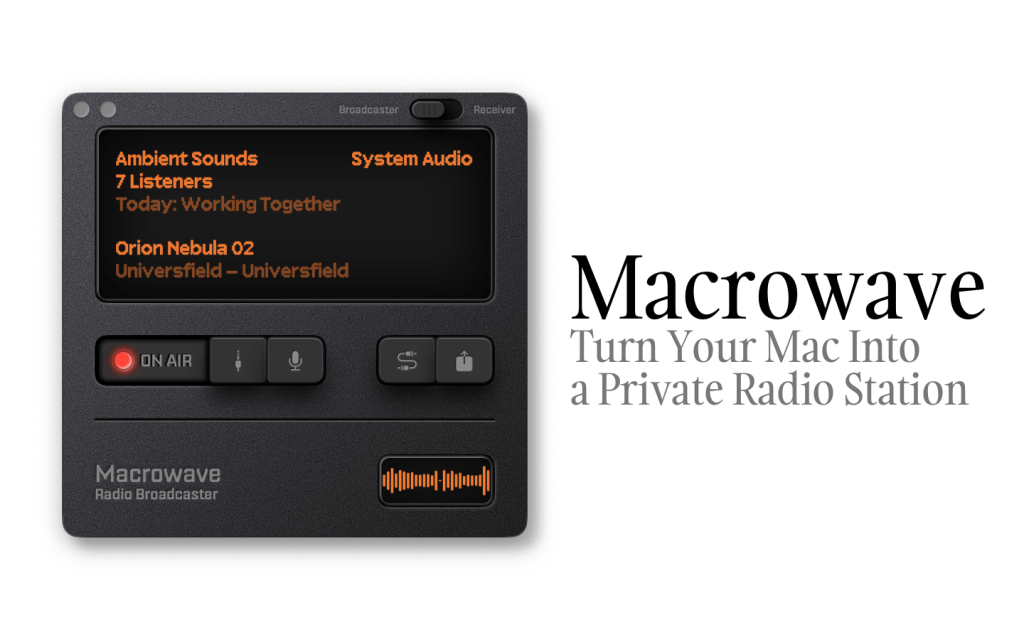
What caught my eye at first was, of course, the retro-style visual design. It resembles a portable radio and reminds me of the Apple Podcasts app from 2012. I don’t know the two developers behind Macrowave personally, but I bet they had fun designing it.
But the real deal for me is the ability to easily share my Mac’s system audio, which means I can run my own station. I’ve always been into audio broadcasting: not only have I been a long-time radio and podcast listener, but I also produced and hosted several podcasts.
Three Steps to Start Your Station
Macrowave streams audio via low-latency WebRTC peer-to-peer connections.1 Its Mac app has two modes: the “Broadcaster” is lets you stream audio, and the “Receiver” is for listening to stations.
If you want to make a live audio broadcast, you just need three steps:
- Sign up using Apple Account
- Set up a username
- Give your station a name and a short description
After that, you can share the link to your station with others to let them tune in. If your audience has enabled notifications, they will be notified when your station is on air. People can listen to the station through Macrowave’s Mac and iOS apps, or via a webpage.
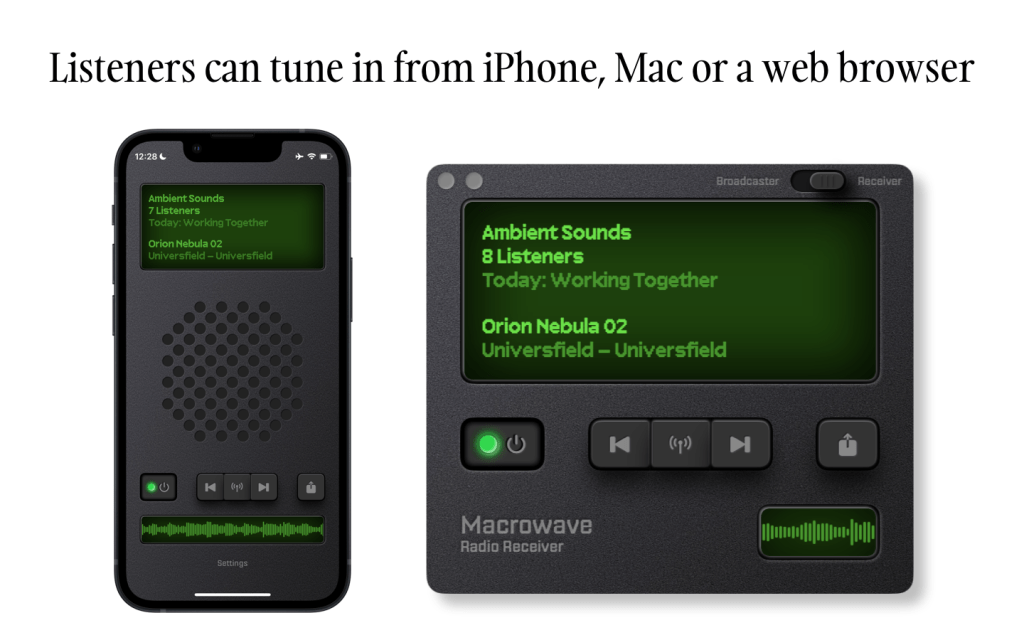
You can choose what audio to stream—whether it’s the system audio (everything you normally hear from your Mac), audio from a specific app, or even from a single window. (Important: you must use this app wisely, as Macrowave states at the bottom of its website, “broadcasters are responsible for obtaining appropriate licenses for any copyrighted content they stream.”)
In an update released shortly after launch, Macrowave revealed its subscription pricing for broadcasting: $3 per week (with a three-day free trial), $8 per month, and $60 per year.
I’ve been using Rogue Amoeba’s Audio Hijack for years. One of its features, the Broadcast block, can stream audio from your Mac to an internet streaming server powered by Shoutcast or Icecast,2 allowing you to run a live broadcast. While powerful, it requires more setup and technical know-how. Macrowave, on the other hand, makes the process far simpler and more approachable for casual broadcasters.
My Experience
From my brief experience using the app, I found that it doesn’t work well with my Audient iD4 audio interface. The mic input works fine, but for some reason, I couldn’t get the music playback to work in conjunction with it. However, if you use the Mac’s built-in mic (or something like EarPods connected via the audio jack), it works well.
As mentioned earlier, people can listen to your station via a link. In the first version, changing your username didn’t automatically update the link, but yesterday’s update (version 1.0.2) fixed this. If you encounter this issue, make sure you’re running the latest version.
Since broadcasting your Mac’s system audio requires specific permissions, you might wonder why it asks for “Screen & System Audio Recording” instead of just “System Audio Recording.” According to Lucas Fischer, this is due to a technical limitation of their upstream provider, despite the app only using audio from the screen sharing. They are working on it and plan to release a new version that requests only the “System Audio Recording” permission, but they must wait for the necessary changes from their provider.3
Thoughts and Questions
Macrowave has been officially available for less than a week, yet I already have many questions about where it’s headed. Will it become a two-way audio platform like Clubhouse or X Spaces, or stay as a simple broadcasting app? Will it introduce a text-based chatroom alongside each station? How does the app help users discover new stations? While I don’t think Macrowave is necessarily destined to be a major hit, there’s certainly room for a niche product like it.
Some aspects of the interface and visual design could be improved. For instance, the app lacks safeguards to prevent accidental quitting while broadcasting, and certain UI elements like button shadows don’t feel right to me. Still, Macrowave is genuinely a fun and intuitive app to use.
 YPWU
YPWU 